If someone told you that you “need to be on Google” and left it there, you are in the right place. This guide walks you through every step to set up Google Business Profile for a Canadian business, from choosing between a service-area and storefront listing to verifying with a video, phone call, or Canada Post postcard. You can follow it start to finish in an afternoon.
Google Business Profile is free. It is the listing that appears in Google Maps and in the local “map pack” results when someone searches for a business near them. For most local businesses, it is the single most important free tool for getting found online. The catch is that Google requires verification before your profile goes live, and that process trips up a lot of Canadian business owners who do not know which method they will get or what to prepare.
Here is the honest part: which verification method Google offers you depends on your business type, your region, and factors Google does not fully explain. You do not get to pick. But you can prepare for all of them, and that is what this guide helps you do.
Before You Start: Service Area or Storefront?
Before you create anything, figure out which business type Google considers you. This choice affects your address, your verification method, and how your listing appears on Maps.
Google recognizes three types of local businesses, and the distinction matters more than most people realize:
Storefront Businesses
A storefront business has a physical address where customers come to you during stated hours, with permanent signage showing your business name. Think of a cafe, a dental clinic, a law office with a reception area, or a retail shop. Your address is visible on your listing, and your hours tell customers when the door is open.
Service-Area Businesses
A service-area business goes to customers instead of serving them at its own address. Think of a plumber, a mobile locksmith, a house cleaner, or a landscaper. You list the areas you serve (up to 20, by city or postal code), but you do not show your address publicly. Google requires you to hide your address if you do not serve customers there. One profile per metropolitan area, so do not create a separate listing for each neighbourhood you serve.
Hybrid Businesses
A hybrid business has a storefront or office where customers come, and also goes out to serve customers. A restaurant that delivers, an auto repair shop that offers roadside service, or a law firm with an office that also makes house calls. You show your address and your service areas.
The trap here is choosing “storefront” when you do not actually have one. If you run a plumbing business from your home and no customers come to your door, you are a service-area business. List it that way. Google will suspend your profile if they find a storefront listing at a residential address with no signage and no foot traffic.
Step 1: Create or Claim Your Profile
Go to google.com/business, sign in with a Google account tied to your business (not a personal account you share with three family members), and search for your business name. If Google already has a listing for your business, claim it. If not, create a new one.
Creating a New Profile
Google will ask whether customers can visit your location. Answer honestly. If you say yes, you are a storefront or hybrid business and you will enter a street address. If you say no, you are a service-area business and you will enter your service areas instead.
Enter your business name exactly as it appears on your signage, your business license, and your incorporation documents. If Google asks for proof later, the name has to match. Enter your business phone number and website. Use a phone number you can actually answer, because Google may call it during verification.
Claiming an Existing Profile
If someone else created your listing (a former employee, a past agency, or Google pulling data from public records), you will see a “Claim this business” button. Google will ask how you are affiliated with the business, then route you through verification. If a previous manager still controls the profile, you can request ownership transfer. Google will email the current owner, and if they do not respond within 14 days, you may gain access.
Step 2: Nail Your Business Categories

Your primary category is the single most influential field on your entire profile for local search ranking. Google matches your category to what people type, so if someone searches “plumber near me” and your primary category is “Plumber,” you are in the running. If it is “Contractor” or “Service establishment,” you are working uphill.
Research from Search Engine Land analyzing 1.8 million Google Business Profiles found that specific categories are associated with roughly 36% higher presence in the top 10 local results compared to generic ones. The lesson: be specific, not broad.
How to Choose Your Primary Category
Pick the most specific category that still accurately describes your core business. You complete the sentence “This business IS a ___” rather than “This business HAS a ___.” You can add additional categories for related services, but keep it honest. Do not add “Kitchen supply store” to a plumbing profile just because you sell fixtures.
Canadian Category Examples
Here is how this plays out for four common Canadian business types:
Plumber — Primary: “Plumber.” Additional: “Gas fitter” or “Heating contractor” if you hold those certifications. Avoid “Service establishment” or “General contractor.” Your plumbing customers search for a plumber, not a general contractor.
Dental clinic — Primary: “Dentist” or a more specific option like “Cosmetic dentist” or “Pediatric dentist” if that is your main focus. Additional: “Dental clinic,” “Teeth whitening service” if you offer it prominently. Most dental practices should start with “Dentist” as primary and add specializations as additional categories.
Law firm — Primary: “Lawyer” or a specific option like “Personal injury attorney” or “Family law attorney” if one area dominates your practice. Additional: “Criminal justice attorney,” “Estate planning attorney,” or other practice areas you actively market. A general practice firm should use “Lawyer” as primary and add specific practice areas.
Cafe — Primary: “Cafe” or “Coffee shop.” Additional: “Breakfast restaurant,” “Sandwich shop,” or “Bakery” if those are meaningful parts of what you offer. Choose “Cafe” over “Restaurant” because the specificity wins on search and the competition is thinner.
You can add up to 9 additional categories, but BrightLocal’s research suggests the sweet spot is around four additional categories. More is not always better if the categories are redundant or irrelevant. Google will already implicitly include broader categories when you pick a specific one.
Step 3: Verify Your Profile in Canada
Verification is where most Canadian business owners get stuck. Google determines which methods are available to you based on your business type, region, and other factors they do not fully disclose. You cannot choose your method, but you can prepare for all of them.
Here are the verification methods Google offers in Canada, ranked roughly from fastest to slowest:
| Method | How It Works | Timeframe | Best For |
|---|---|---|---|
| Phone or SMS | Google calls or texts your business number with a code | Instant | Established businesses with a phone number matching their listing |
| Google sends a code to your business email | Instant | Businesses with a domain-matched email address | |
| Video recording | Record a continuous 30+ second video on your phone showing your location, signage, and equipment | Up to 5 business days for review | Most businesses, especially service-area businesses |
| Live video call | Chat with Google support by video in real time during your business hours | Same session | When video recording fails or is not offered |
| Postcard by mail | Google mails a postcard with a 5-digit code to your business address | Up to 14 days | Storefront businesses, Google’s fallback method |
Video Verification: What to Record
If Google offers video verification, take it. It is faster than waiting for a postcard and more reliable than hoping Canada Post does not lose it. Google requires the video to be at least 30 seconds long, unedited, recorded in one continuous take with no breaks, and uploaded from a mobile device through your Business Profile.
For storefront and hybrid businesses, your video must show three things: your business location (street signs, building numbers, nearby landmarks), proof your business exists (storefront, signage with your business name on a permanent fixture), and proof of management (something only an employee would access, like opening a cash register or walking into a storage room).
For service-area businesses, the requirements shift. You show where you operate (street signs and landmarks near your base address), proof your business exists (tools, equipment, branded apparel, business cards), and proof of management (performing a service or accessing business-only assets). If you run your business from home, film landmarks and signs in your immediate neighbourhood rather than an empty lot.
Plan the video before you start recording. Walk through it once without filming so you know the route. Hit record and walk from outside showing the street, to your signage, to inside your space. Do not pause. Do not stop and restart. One take, one upload.
Postcard Verification: The Canada Post Route
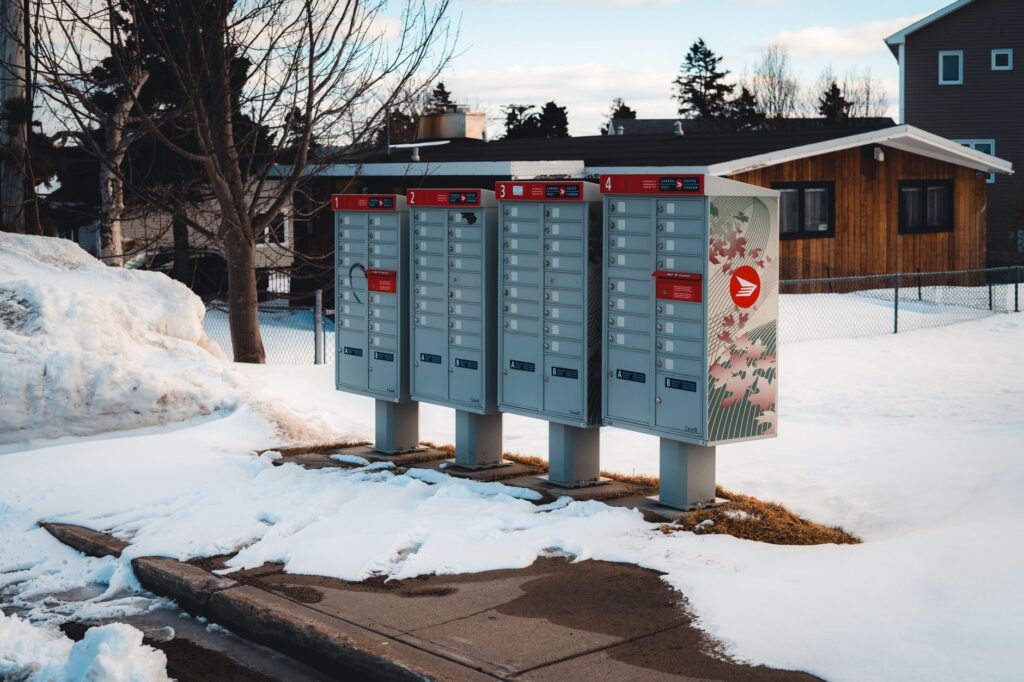
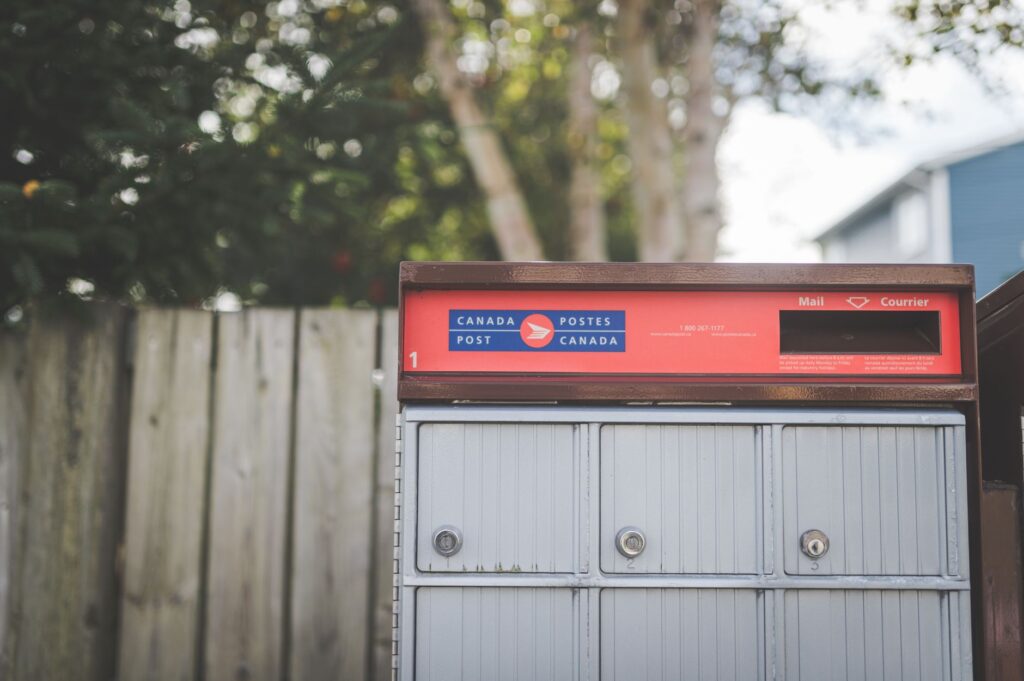
If Google assigns you postcard verification, they mail a postcard with a 5-digit code to your business address. In Canada, that card arrives through Canada Post. Google says most codes arrive within 14 days, but Canadian business owners sometimes report longer waits, especially in rural areas or during winter delivery disruptions.
Two critical rules while you wait: do not edit your business name, address, or category on your profile, because doing so invalidates the code Google already mailed. And do not request a new code, because that invalidates the first one and restarts the clock. The code expires after 30 days, so enter it as soon as the postcard arrives.
What If Verification Fails?
If your video is rejected, Google will tell you why and let you record a new one. If your postcard does not arrive within 14 days, you can request a new one. If none of the methods work, contact Google Business Profile support directly. After you complete verification, Google reviews your information, which can take up to 5 business days before your profile goes live.
Step 4: Optimize Before You Walk Away
Once you are verified, do not just close the tab. The first hour after verification is the best time to fill in the details that make your profile competitive in local search. An incomplete profile with missing photos, no description, and wrong hours will rank below a complete one every time.
Business Description
You get 750 characters. Write a clear description of what you do, who you serve, and what makes you different. Do not stuff keywords. Do not include URLs or promotional links, because Google will strip them out or may flag the profile. Write for a human who is deciding whether to call you.
Hours: Regular, Seasonal, and Canadian Holidays
Set your regular hours first. Then add special hours for Canadian holidays that affect your business. In Canada, these include national holidays like Canada Day, Labour Day, Thanksgiving (second Monday in October), Remembrance Day, Christmas, Boxing Day, and New Year’s Day, plus provincial holidays that vary by region:
- Family Day (third Monday in February, observed in Alberta, British Columbia, New Brunswick, Ontario, Saskatchewan, and Manitoba, where it is called Louis Riel Day)
- St. Jean Baptiste Day (June 24, Quebec)
- Natal Day (first Monday in August, Nova Scotia)
- Terry Fox Day (second Monday in August, Manitoba)
If your business changes hours for the season, like shorter winter hours or extended summer hours, use the special hours feature to set a date range rather than changing your regular hours and forgetting to switch them back.
Photos
Add at least a cover photo, a logo, and exterior and interior photos. Google’s research consistently shows that businesses with more photos get more direction requests and calls. Show your storefront or workspace, your team, your products or equipment, and anything that helps a customer recognize your business from the street.
Attributes
Attributes are the checkboxes that tell Google and customers specific things about your business. The options change based on your category. A plumber might see “On-site services provided” and “Emergency plumbing services.” A dental clinic might see “Wheelchair accessible entrance” and “Language spoken: French.” A cafe might see “Outdoor seating,” “Wi-Fi,” and “Accepts credit cards.” Fill in every accurate attribute. These appear in search filters and help Google match you to specific queries.
Q&A and Services
Add the services you offer with brief descriptions and, if relevant, price ranges. Then go to the Q&A section and seed common questions yourself. “Do you offer emergency service?” “What areas do you serve?” “Do you direct bill insurance?” Answer them clearly. If you leave the Q&A empty, anyone can ask a question and it sits there unanswered until you notice it.
Common Canadian Pitfalls to Avoid
PO Boxes and Virtual Offices
Google’s guidelines are explicit: “P.O. boxes or mailboxes located at remote locations aren’t acceptable.” You must use your actual, real-world business address. If you rent a virtual office address where you do not actually operate, that address is not eligible for a Business Profile.
For service-area businesses, this is the most common mistake. You enter your real home or commercial address for verification, then hide it from the public by selecting the service-area option. Google still needs the real address to verify you, but customers only see your service areas. If you use a PO box or virtual office, your profile may be suspended.
Bilingual Profiles in Quebec
Google Business Profile does not have a built-in bilingual toggle. You manage one profile per location. If you serve Quebec, write your business description, posts, and Q&A answers in French or bilingually, so your listing matches how your customers search. French-language search behavior differs from English, and a French description helps Google match your profile to French queries.
Businesses operating in Quebec may also have obligations under provincial French-language legislation. We do not give legal or compliance advice. If you are unsure about your language obligations for commercial communications, review your requirements with a legal advisor who understands Quebec’s language laws.
Winter Seasonal Hours
Many Canadian businesses adjust hours for winter, especially in northern regions where daylight and road conditions change how customers visit. If you run shorter hours from November to March, set that as a seasonal schedule rather than updating your regular hours each time. If you close for a snowstorm or weather event, post a temporary closure on your profile so customers do not show up to a locked door and leave a one-star review.
Multiple Profiles for the Same Business
One profile per physical location. If you serve multiple cities from one base, you get one service-area profile covering all the areas you serve, not separate listings for each city. Google may suspend your account if they find multiple profiles for the same business in the same metropolitan area. This is the most common reason profiles get taken down.
Ignoring Reviews
Reviews are one of the local ranking factors Google uses. More reviews and higher ratings improve your visibility in local search. Respond to every review, positive and negative. A profile with 40 reviews and responses looks more active and trustworthy than one with 40 reviews and silence.
What to Do Once Your Profile Is Live
Your profile being live is the start, not the end. Google rewards active profiles. Post updates regularly: promotions, new services, seasonal hours, community involvement. Respond to every review within a week. Use the Insights tab to see what searches bring people to your profile, how many called directly from the listing, and how many requested directions.
If your profile is live but you are not seeing the calls and enquiries you expected, local SEO takes time to build. Profiles do not rank overnight, especially in competitive markets like Toronto, Vancouver, or Montreal. A well-optimized profile combined with a fast website, accurate citations, and steady reviews is the foundation. For a deeper look at how long local SEO takes to produce results, read our real SEO timeline.
If managing your profile, posting updates, responding to reviews, and tracking performance feels like more than you can take on alongside running your business, that is exactly what our Google Business Profile Management package is built for. Profile optimization, review management, seasonal hour updates, and regular insights reports, all handled for you. We quote every package individually based on your goals and location.
Have questions? Our team at Collavris is here to help. We have helped Canadian businesses get found online, and we are happy to look at your profile and recommend clear next steps, with no obligation and no pressure., and we are happy to look at your profile and recommend clear next steps, with no obligation and no pressure.
Frequently Asked Questions
How long does Google Business Profile verification take in Canada?
Video recording verification takes up to 5 business days for Google to review. Postcard verification by mail can take up to 14 days for the card to arrive, plus you have 30 days to enter the code before it expires. Phone, SMS, and email verification are instant when offered.
Can I use a PO box for my Google Business Profile address?
No. Google’s guidelines state that PO boxes and mailboxes at remote locations are not acceptable. If you are a service-area business, use your actual home or commercial address for verification but hide it from the public by selecting the service-area business option. Virtual office addresses where you do not actually operate are also not eligible.
Do I need a separate Google Business Profile for English and French in Quebec?
Google Business Profile does not have a built-in bilingual toggle. You manage one profile per location. If you serve Quebec, write your business description, posts, and Q&A answers in French or bilingually to match how your customers search. Businesses in Quebec may also have French-language obligations under provincial law, so review your obligations with a legal advisor.
What should I do if my video verification is rejected?
Google will tell you why your video did not meet requirements and let you record a new one. Common reasons include pausing the recording, not showing your business name on signage, or filming an area without clear location markers. Record a continuous, unedited video of at least 30 seconds that shows your location, signage or equipment, and proof you manage the business.
How do I set seasonal or holiday hours on my Google Business Profile?
In your Business Profile, go to Edit profile, then Hours, then select Special hours. Add the dates for Canadian holidays like Canada Day, Labour Day, Thanksgiving, or provincial holidays like Family Day. For broader seasonal changes, such as shorter winter hours, set a date range with adjusted hours and switch back to regular hours when the season ends.
One Response